
QGOV Vault
You can of course leave your QGOV token on your wallet alone, but the QGOV vault opens up a variety of opportunities to utilize your QGOV assets, that is:
- Earn rewards on QGOV token deposits (see here for more details)
- Lock tokens for voting (see here for more details)
- Delegate voting power (see here for more details)
- Delegate staking power and earn delegation rewards (see here for more details)
QGOV vault page consists of overview block and four action blocks: Transfer, Withdraw, Send, and Earn.
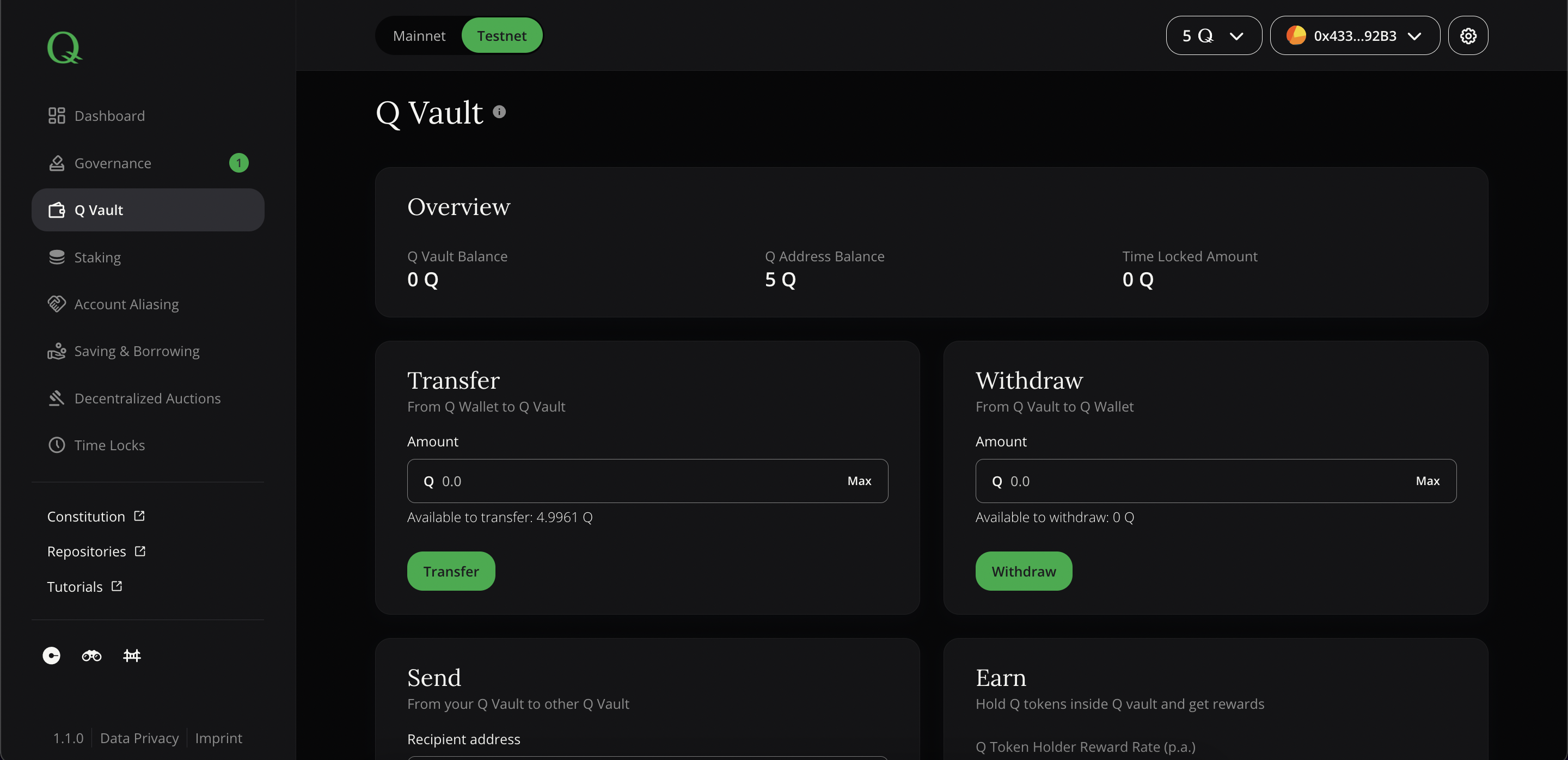 Screenshot of dApp: QGOV Vault
Overview
The overview box shows relevant KPIs of your wallet address in context with QGOV vault.
- QGOV Vault Balance - the overall balance of funds within QGOV vault
- QGOV Address Balance - balance of connected wallet account (i.e. MetaMask account)
- Time Locked Amount - currently locked QGOV vault balance
Transfer
Before using QGOV tokens for above mentioned activities, they need to be transferred into the QGOV vault using the first form field by entering the desired amount and clicking on "Transfer".
Note: You need to have some remaining QGOV fractals to pay future transaction fees (gas). Please ensure that you don't transfer the maximum amount into QGOV vault!
Withdraw
To withdraw your funds from the QGOV vault enter the desired amount and click on "Withdraw button".
Note: You cannot withdraw currently time locked QGOV tokens inside your QGOV vault. You should wait until they are fully unlocked
Send
If you want to transfer QGOV tokens to another wallet address, you don't need to withdraw them first. Instead, you can use the function to send "from your QGOV Vault to other QGOV Vault" by entering the recipient address and amount to be sent.
Earn
By holding your QGOV tokens inside QGOV vault you are eligible to get QGOV Token Holder Rewards.
Earn block shows relevant KPIs for QGOV token holding rewards:
- QGOV Token Holder Reward Rate (p.a.) - yearly reward rate that will be earned by QGOV vault balance
- Yearly Expected Reward - Estimate based on actual balance and yearly token holder reward rate
- QGOV Token holder reward updated - Last time when rewards were allocated
You can allocate rewards by clicking on "Allocate rewards" button and confirming transaction in MetaMask.
Note: QGOV reward rates are based on compound rate approach, meaning that rewards are calculated and aggregated until a transaction (e.g. a withdrawal) triggers a compound rate update combined with a reward pay-out. This implies that rates might change over time and reward estimates will be more imprecise the longer the time interval for estimation is and the more triggering transactions happen.
Underneath the monetary KPIs, you can see values around voting weight and their appropriate locking periods. The "Voting Status" indicates the roles and voting permissions your connected address has and "Vote Delegation" shows whether you have delegated your voting weight.